

ACTIVITY · TUMMY TIME
Activity tracker
one tap, nothing to fill.
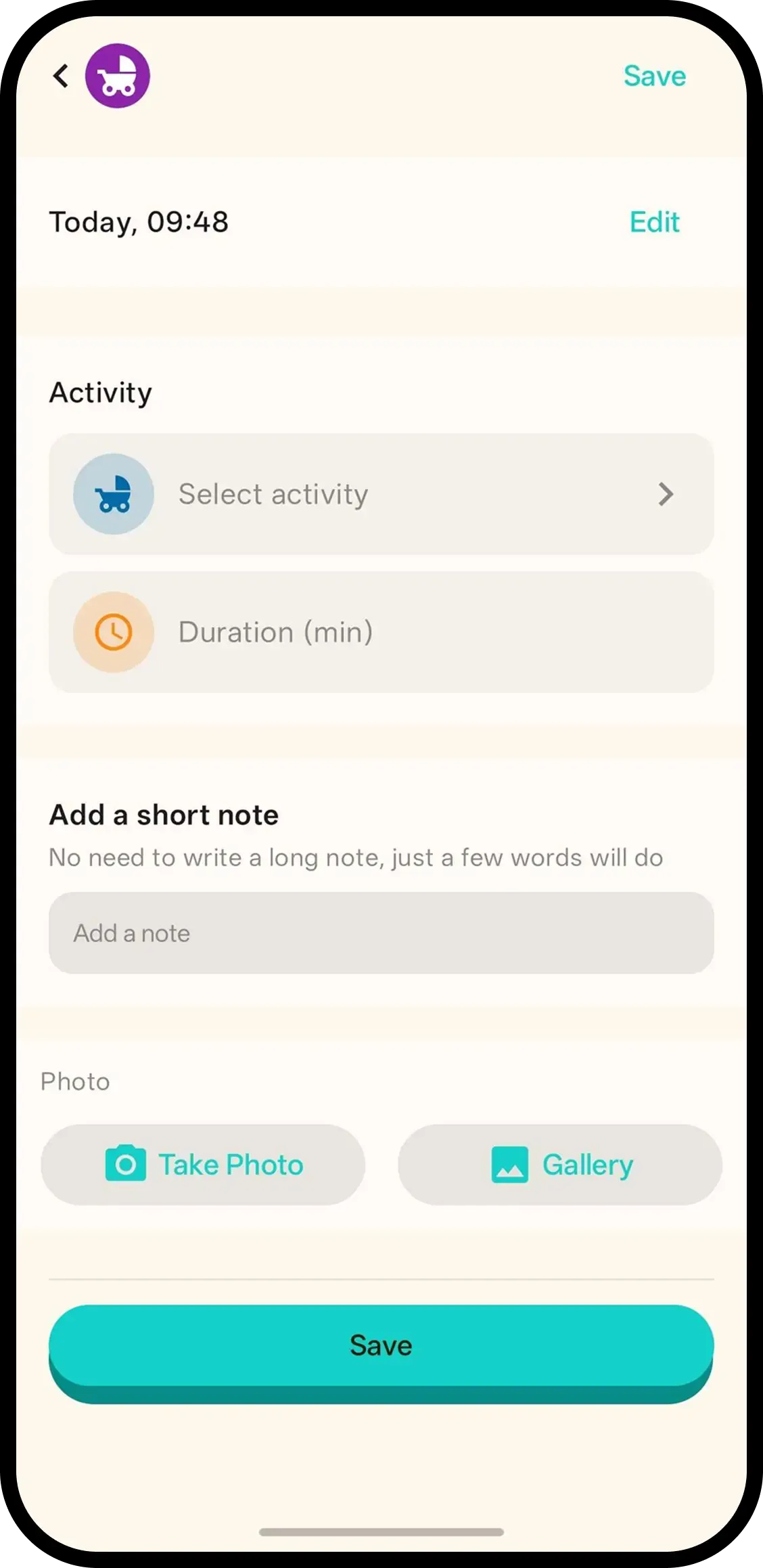
Tap Activity and it's saved with the current time. No forms. Hold to pick what baby did — tummy time, play, story time, music, outing or walk — and add the minutes, or tap the entry later.
- One tap, done. Time is saved automatically.
- Hold to pick what and how long. Tummy time, play, story time, music, outing or walk, plus the minutes.
- Family sees it. Everyone on the family code sees the same activity history.

How it works
- 1. Tap Activity. Saved instantly.
- 2. Hold to pick what baby did. Tummy time, play, story time, music, outing or walk — plus the minutes.
- 3. Or tap entry later. Same screen, add note/photo too.
When it helps
Tummy time without the stopwatch stress
Baby down on the mat, timer in your head. Tap Activity at the start, add the minutes when it ends — or any time later.
Proving the routine works
Play, outing and walk entries stack up across the week. When sleep improves, the activity behind it is visible.
FAQ
- What does one tap do?
- It saves an activity entry with the current time. Nothing to fill in.
- How do I record tummy time?
- Hold the Activity button or tap the entry to pick Tummy time, then set the minutes.
- Can I record how long it lasted?
- Yes. Pick the activity and set the duration in minutes, like 10 min of tummy time.
- Can family see activity logs?
- Yes. Everyone on the family code sees the same activity history.