

MILESTONE · FIRSTS
Milestone tracker
one tap, nothing to fill.
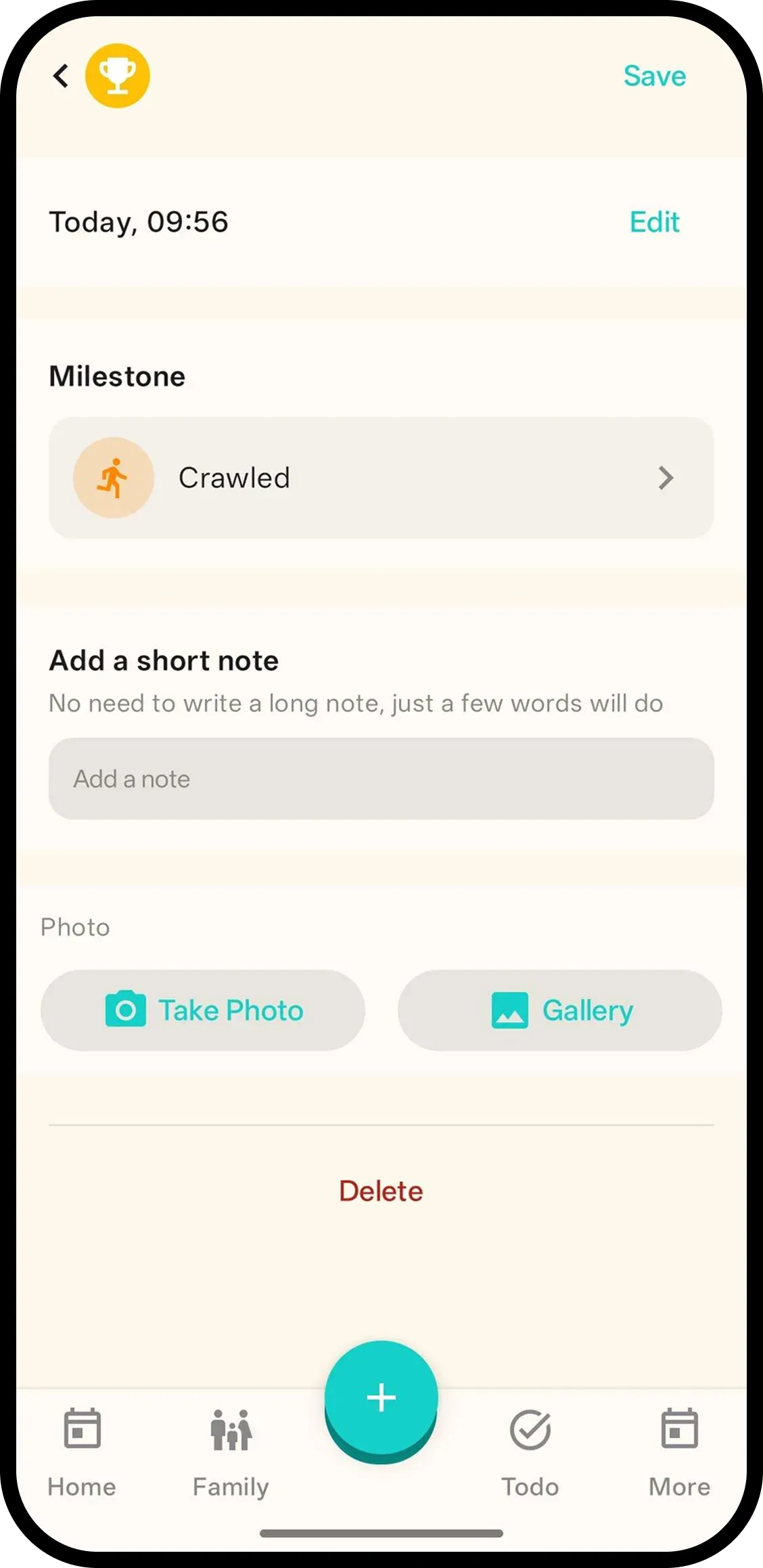
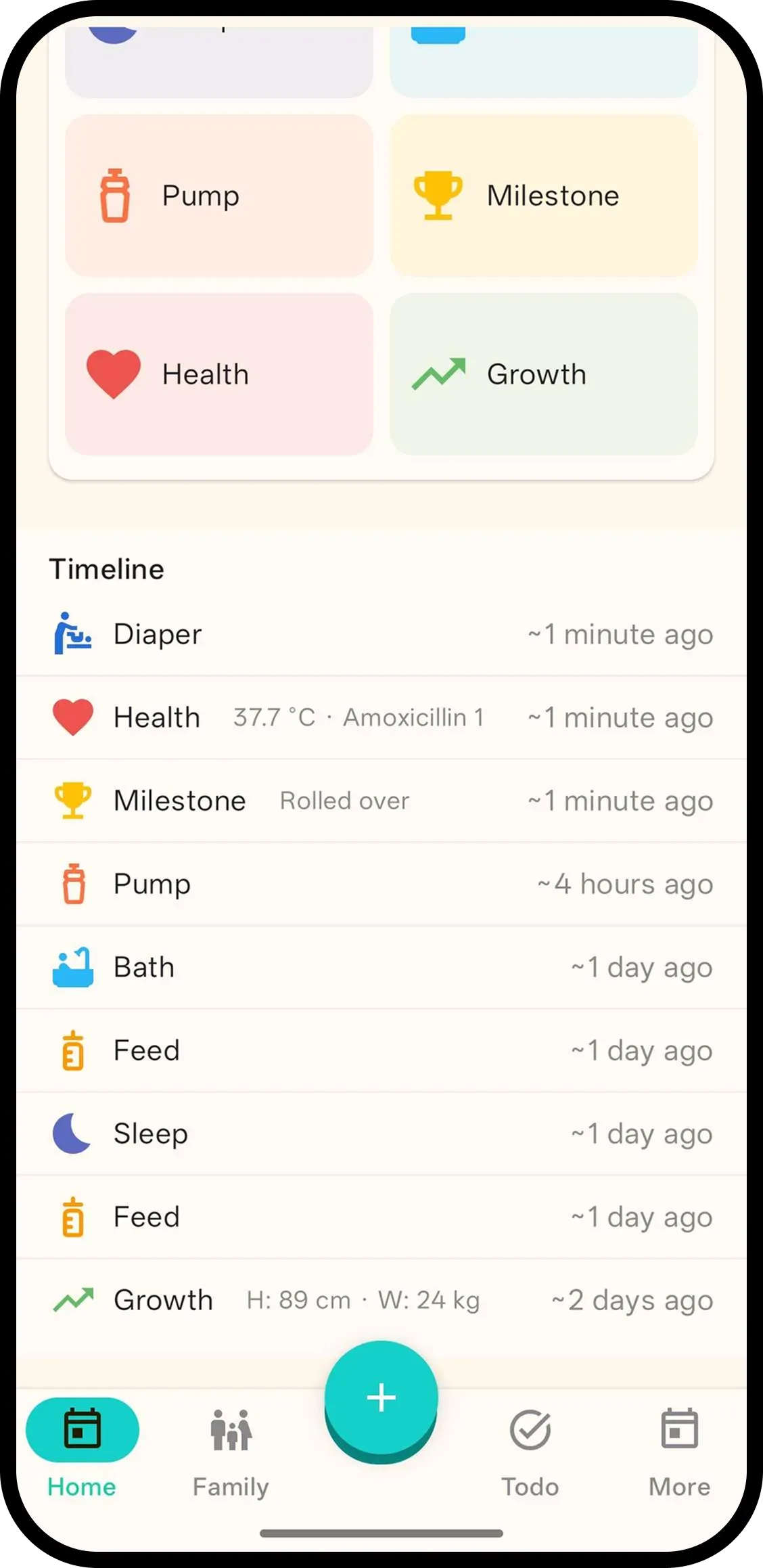
Tap Milestone and it's saved with the current time. No forms. Hold to pick a milestone, like first smile or first steps, or tap the entry later.
- One tap, done. Time is saved automatically.
- Hold to pick milestone. Hold the button or tap the entry to pick from the list.
- Remember with photo. Add a photo so everyone on the family code sees the moment.

How it works
- 1. Tap Milestone. Saved instantly.
- 2. Hold to pick milestone. Choose from the list.
- 3. Or tap entry later. Add note/photo too.
FAQ
- What does one tap do?
- It saves a milestone entry with the current time. Nothing to fill in.
- How do I pick a milestone?
- Hold the Milestone button or tap the entry to pick from the list, like first smile or first steps.
- Can I add a photo?
- Yes. Add a photo to remember the moment. Everyone on the family code will see it.
- Can family see milestones?
- Yes. Everyone on the family code sees the same milestone history.