

REFLUX · SMALL / MEDIUM / LARGE
Reflux tracker
one tap, nothing to fill.
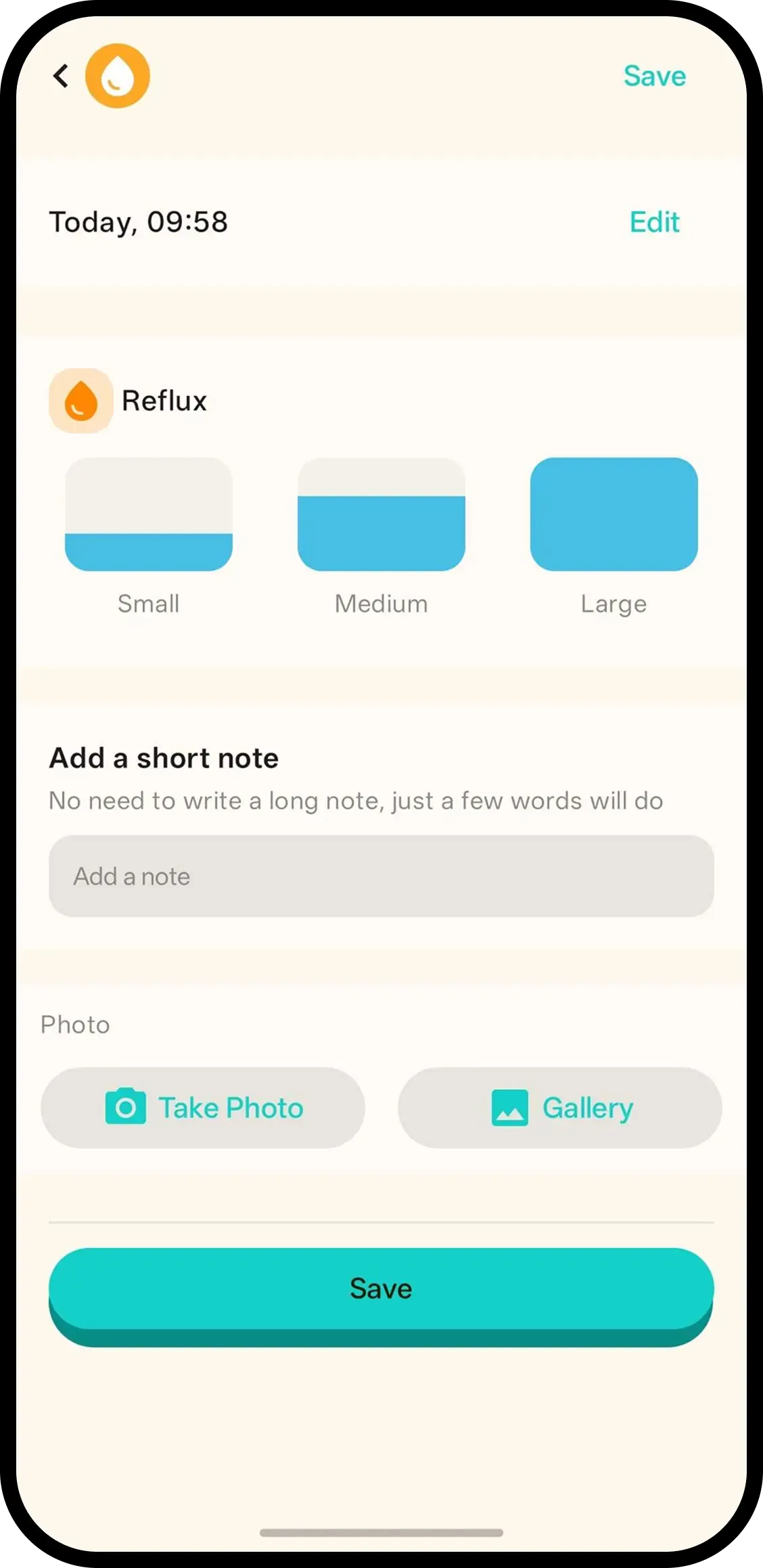
Tap Reflux and it's saved with the current time. No forms. Hold to pick the amount — small, medium or large — or tap the entry later.
- One tap, done. Time is saved automatically.
- Hold to add the amount. Small, medium or large.
- Next to feeds. See spit-ups and feeds on the same timeline.

How it works
- 1. Tap Reflux. Saved instantly.
- 2. Hold to add the amount. Small, medium or large.
- 3. Or tap entry later. Same screen, add note/photo too.
When it helps
Right after the spit-up
Small, medium or large — still on the bib in front of you. Hold Reflux, pick the amount, done before cleanup.
Separating normal from pattern
Occasional small spit-ups beside feeds read as normal; clusters of large ones stand out on the same timeline.
FAQ
- What does one tap do?
- It saves a reflux entry with the current time. Nothing to fill in.
- How do I record the amount?
- Hold the Reflux button or tap the entry, then pick Small, Medium or Large.
- What is this useful for?
- Seeing how often and how much baby spits up, next to feeds and sleep. It is not medical advice — ask your doctor if you are worried.
- Can family see reflux logs?
- Yes. Everyone on the family code sees the same history.