

DIAPER · ONE TAP
Diaper tracker
one tap, nothing to fill.
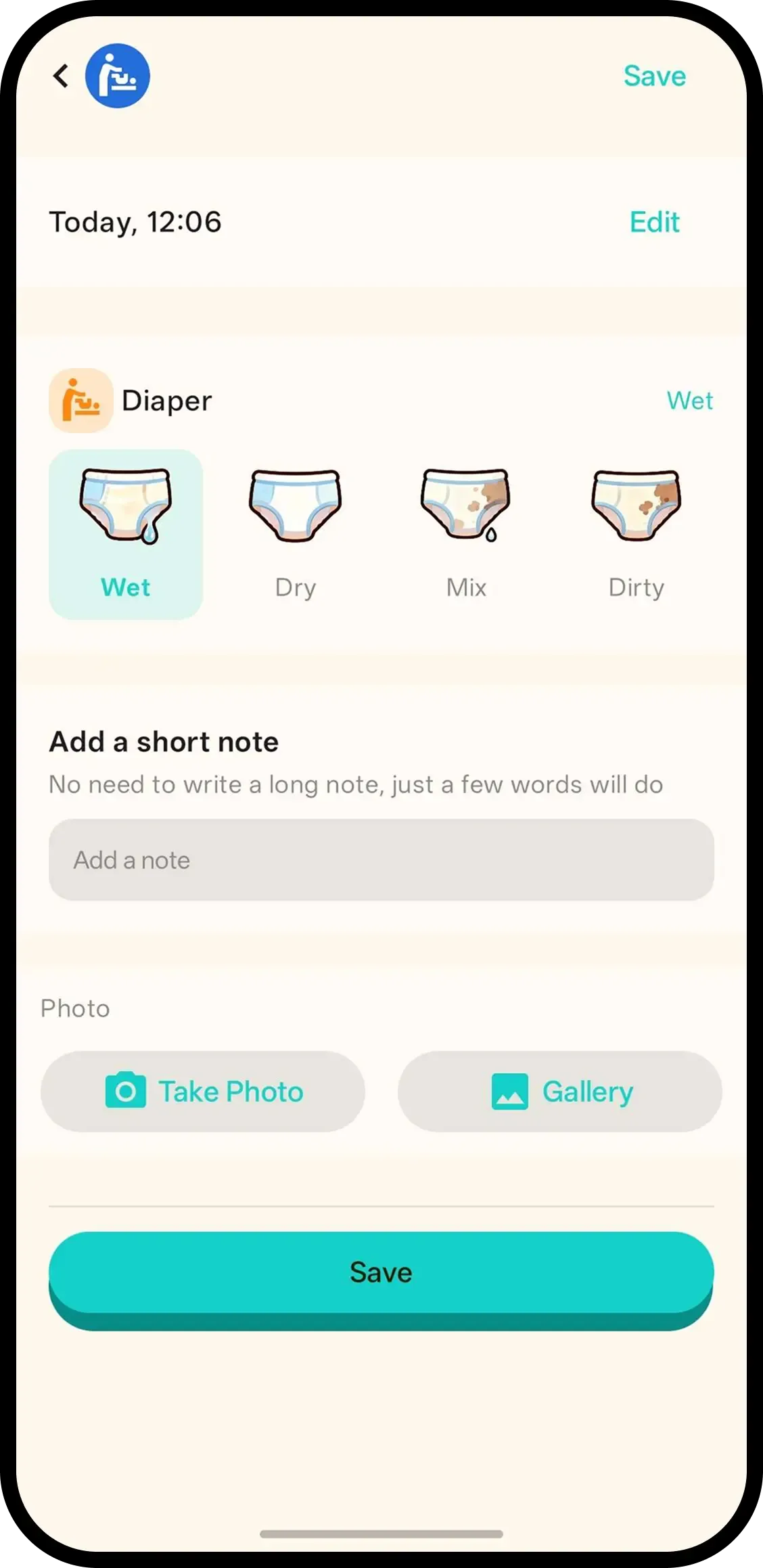
Tap Diaper and it's saved with the current time. Want a note or photo? Hold the button or tap the entry later. No required fields.
- One tap, done. Time is saved automatically.
- Hold or tap to add more. Hold the button or tap the entry for a note/photo. Write wet/dirty in the note if you want.
- Family in sync. Everyone on the family code sees the last diaper.

How it works
- 1. Tap Diaper. Saved instantly.
- 2. Hold to add note/photo. Only if you want.
- 3. Or tap entry later. Same screen.
When it helps
Changing table, hands full
Mid-change with a wipe in one hand. Tap Diaper, finish the job, add wet or dirty to the note when the baby is dressed.
Spotting a pattern before the doctor asks
Three loose stools since yesterday morning are on the timeline with times. You report facts instead of reconstructing the day.
FAQ
- What does one tap do?
- It saves the diaper change with the current time. Nothing to fill in.
- How do I add a note or photo?
- Hold the Diaper button or tap the timeline entry. Write wet/dirty/rash in the note if you want.
- Can family see diaper logs?
- Yes. Everyone on the family code sees the same history.