

GROWTH · HEIGHT / WEIGHT
Growth tracker
one tap, nothing to fill.
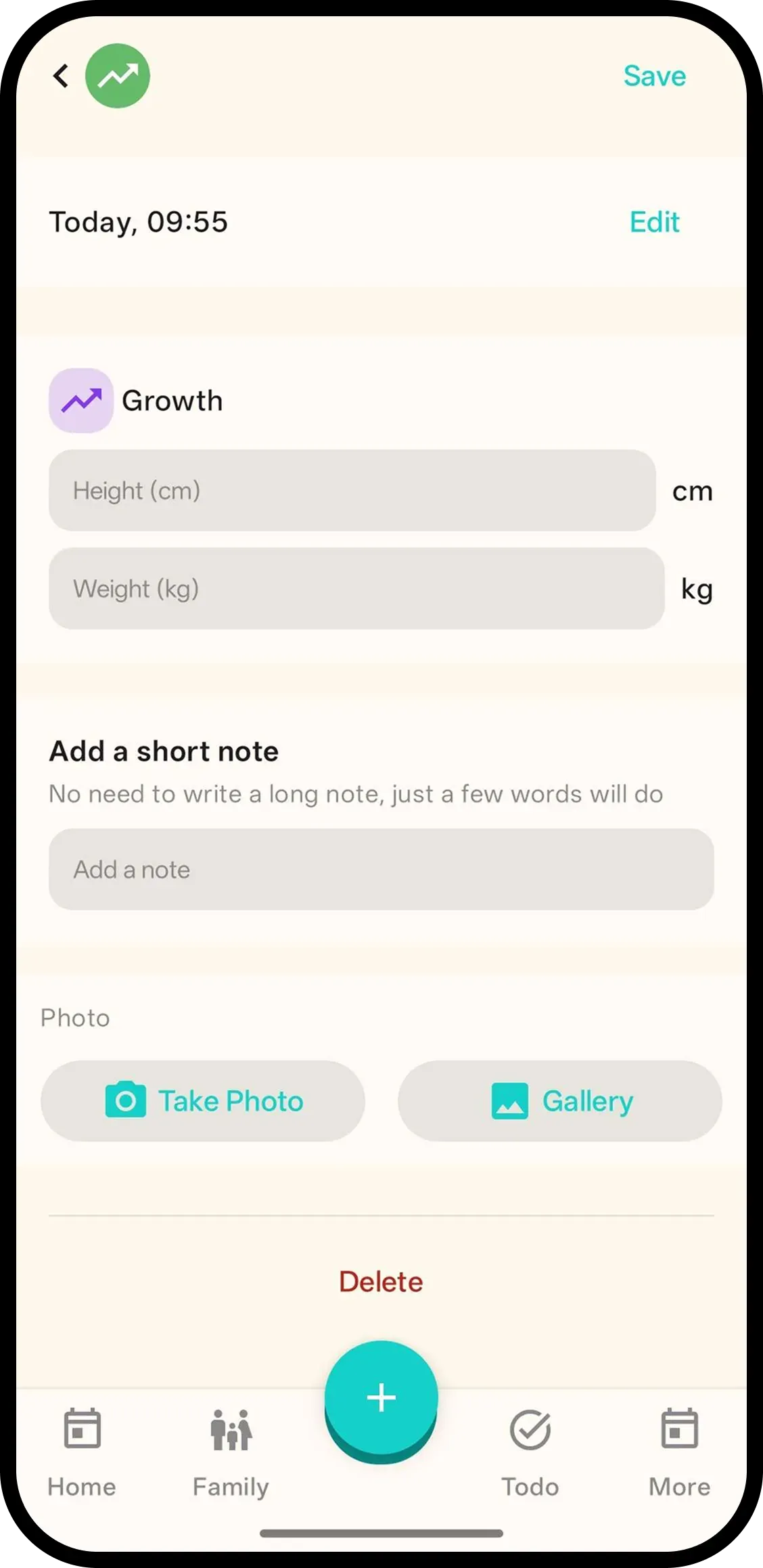
Tap Growth and it's saved with the current time. No forms. Hold to add height and weight, like 62 cm or 5.4 kg, or tap the entry later.
- One tap, done. Time is saved automatically.
- Hold to add numbers. Hold the button or tap the entry to add height and weight.
- Family sees it. Everyone on the family code sees the same growth history.

How it works
- 1. Tap Growth. Saved instantly.
- 2. Hold to add height/weight. Like 62 cm / 5.4 kg.
- 3. Or tap entry later. Same screen.
When it helps
Checkup numbers, kept in one place
62 cm and 5.4 kg from today's visit. Hold Growth, enter both, and every later measurement joins the same history.
Settling the is-this-normal worry
Months of dated measurements sit in order. You show the curve's direction instead of recalling single numbers.
FAQ
- What does one tap do?
- It saves a growth entry with the current time. Nothing to fill in.
- How do I add height and weight?
- Hold the Growth button or tap the entry to add height and weight, like 62 cm or 5.4 kg.
- Can family see growth logs?
- Yes. Everyone on the family code sees the same growth history.