

BATH · ONE TAP
Bath tracker
one tap, nothing to fill.
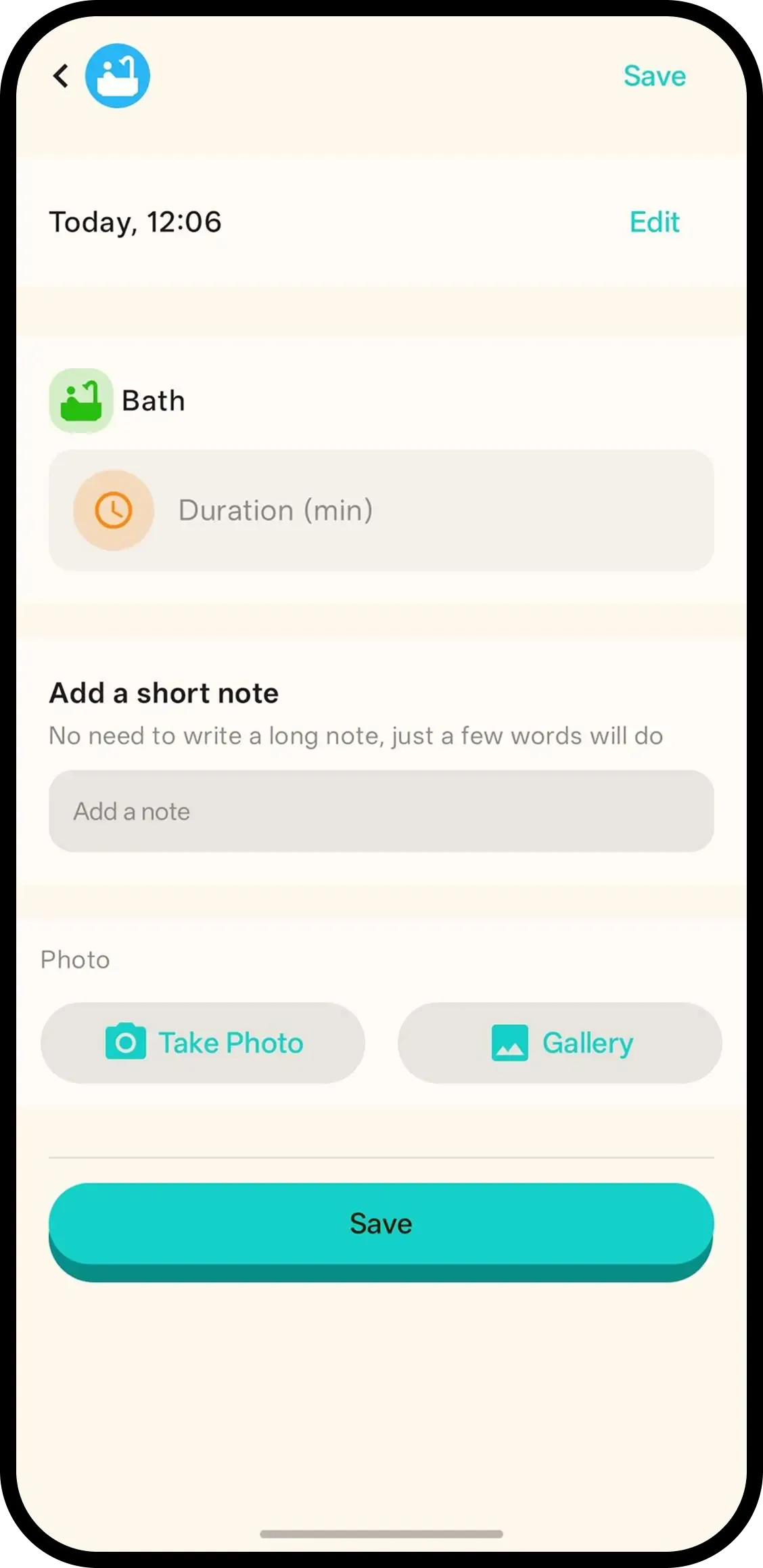
Tap Bath and it's saved with the current time. No forms. Hold the button or tap the entry later to add a note or photo.
- One tap, done. Time is saved automatically.
- Hold or tap to add more. Hold the button or tap the entry for a note/photo.
- Family in sync. Everyone on the family code sees the same bath history.

How it works
- 1. Tap Bath. Saved instantly.
- 2. Hold to add note/photo. Only if you want.
- 3. Or tap entry later. Same screen.
When it helps
Wet hands, quick log
The baby is back in the towel and you are still dripping. Tap Bath now; the photo of the splashy milestone can wait.
Settling the bedtime routine
Bath, feed, sleep appear in order on the timeline. When evenings go sideways, you see which step moved.
FAQ
- What does one tap do?
- It saves the bath with the current time. Nothing to fill in.
- How do I add a note or photo?
- Hold the Bath button or tap the timeline entry to add a note or photo.
- Can family see bath logs?
- Yes. Everyone on the family code sees the same history.